Building a PMM portfolio
A candid journal about rebuilding my PMM portfolio, moving from WordPress and Framer to Next.js and Vercel, and creating a custom CMS with Codex.
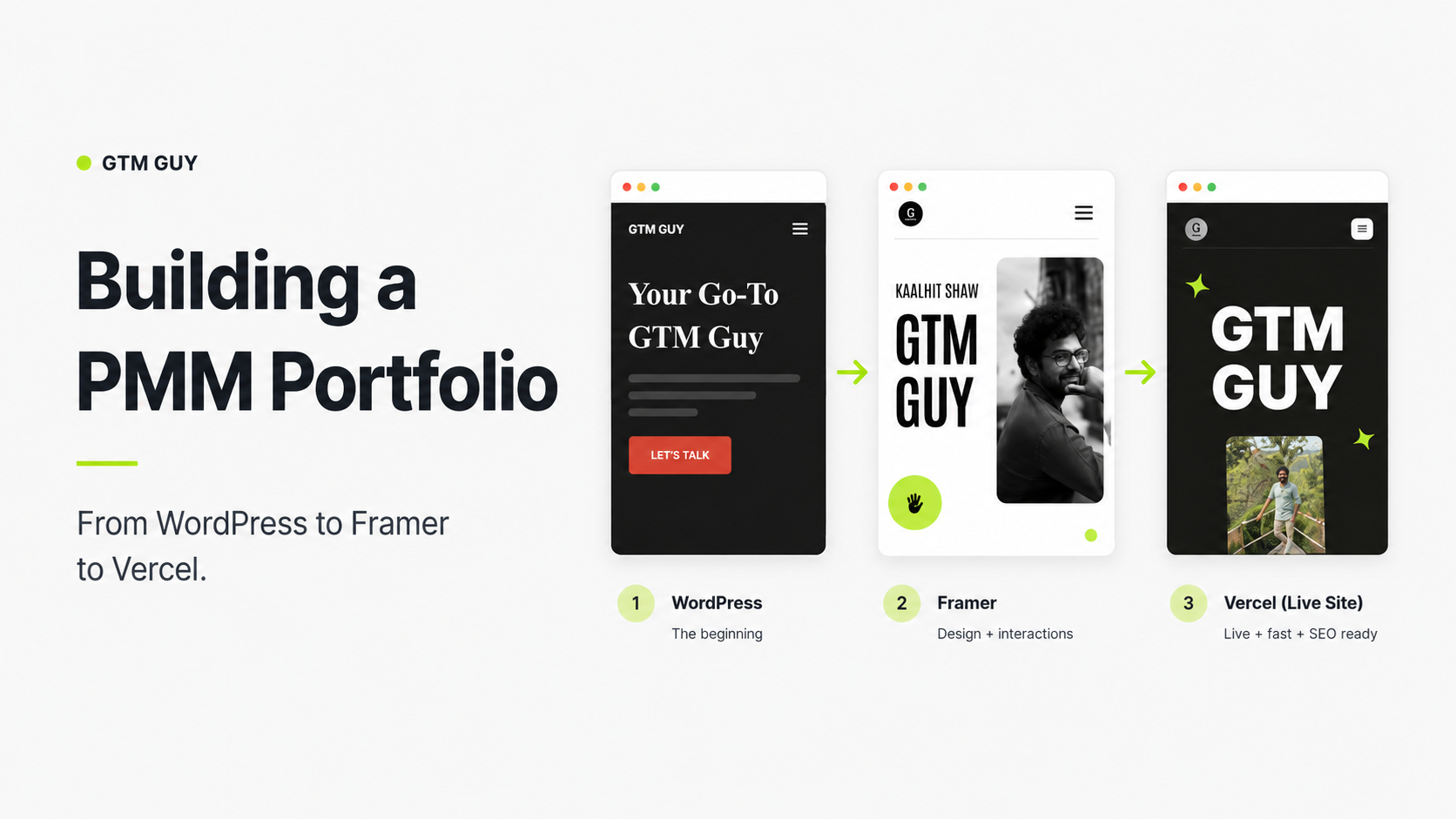
At the beginning of 2025, when I was fresh out of Aftershoot. I took a much-needed short break before I start hunting for my next job. Yet, I didn't want to sit idle; I wanted to do something productive to keep my mind occupied. For quite some time, I've been ruminating on building a cool portfolio, so I decided that it's time I work on it.
What did I have before?
I had a basic WordPress site built using a free dark theme template. I hosted the site on my AWS server, which would crash more often for some reason. I was regularly going to the AWS terminal to kill and restart the server. This is what it looked like before.
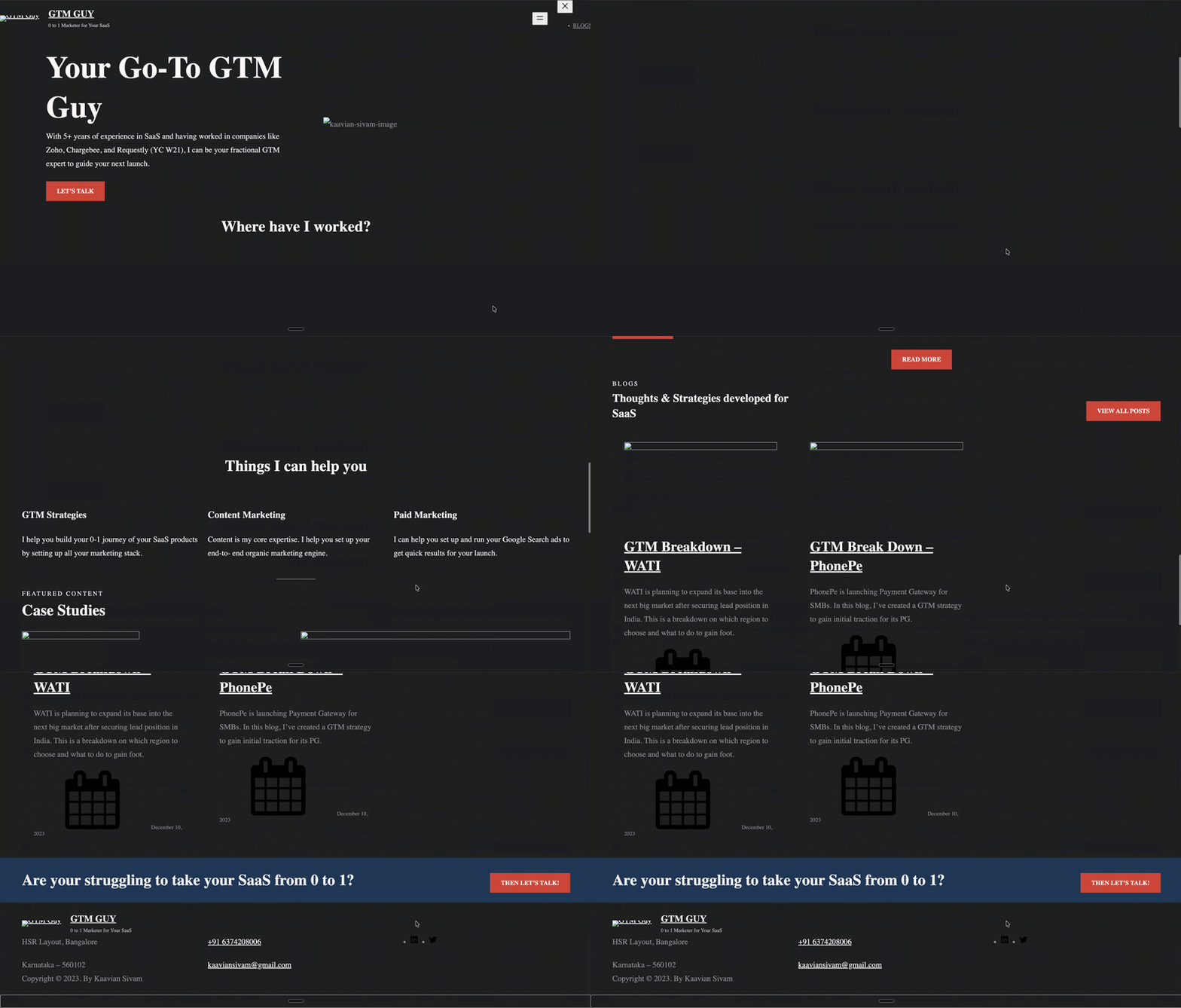
P.S. I had to use the Wayback Machine to see how my page looked before migrating to Framer.
I got fed up with this after some time, and I always wanted to move to another platform. I’ve seen a couple of designers in my network talking about Framer. I’m always a big sucker for cool transitions on a website and realized it’s easy to achieve in Framer. Since I had a lot of time then, I decided to give this a shot.
My Experience with Framer
At first, I didn’t really understand the platform. It was super hard for me to navigate. I thought it was going to be like Figma turned into a dev platform, and I could just drag and drop all the elements needed. I am intermediate in Figma, so I thought it wouldn’t be that hard to build the site. But it turns out it’s much more complicated than I expected. I had a huge learning curve even to edit a simple template.
After so much dilly-dallying, I chose a template that suited my needs (of course, with some cool transitions) and then started customizing it here and there. The version below is the one I built.
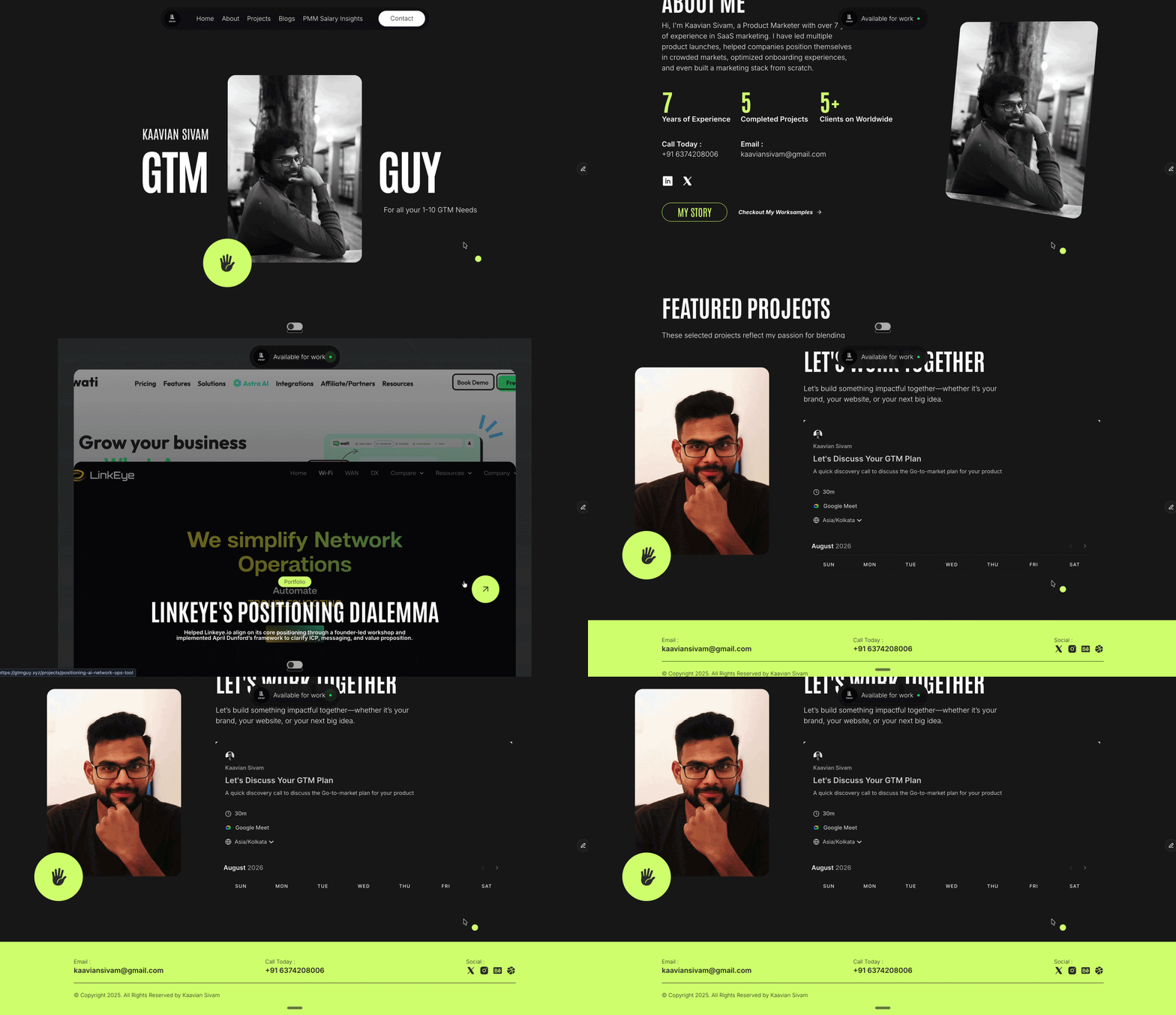
It took me almost a month to create this site because I wasn’t consistent with my efforts. But it’s also because of how complicated it was for me to customize things. A few things I still hate in Framer are:
- I still couldn’t figure out how to add a new section without ruining my other sections
- I don’t know how layers work. When I make changes to one layer, it impacts a lot of other layers, and I don’t know how to prevent that.
- Adding an element as simple as a button is a big deal for me. There is no easy way to add them to a page, or at least I don’t know how to do that
…and the list goes on.
While I’m not expecting it to be as easy as Elementor, at least a proper walkthrough would have been nice. I realized Framer is built mainly for designers to build their portfolio rather than for non-designers or non-devs to use their platform and build the page. Maybe during the onboarding, they could ask this question and simplify some of the UI for personas like me.
What made me move out of Framer?
I paid ₹6.5k for the basic plan to host my website. I was okay with paying for it because I wanted a reliable platform to host my portfolio. More importantly, I’ve hosted the Indian PMM salary report, and a lot of PMMs in my network regularly visit the page to get some insights about current salary trends. I didn’t want the site to be down and disappoint the folks as well.
But over the last year, I started experimenting more with vibe coding, and after building 2 projects entirely on Lovable and Claude Code, I no longer felt the need to pay an additional sum of money to another platform. Like OTT subscriptions, I’m already subscribed to 3 major LLM subscriptions, and I want to make use of them.
So I decided to replicate my site and host it on Vercel, which is my go-to platform to host all my hobby projects. Instead of using Claude Code or Lovable, I wanted to make use of Codex because that’s been sitting idle for quite some time now.
Choosing the platform to rebuild my website
Frankly speaking, my experience with Codex was never that good. I tried using it to build my second project, Retrievr, and the outcome was really bad. I had to prompt a lot to even get okayish outcomes. It was very surprising because ChatGPT is my oldest LLM account, and it has a lot more info about me, my style, and the way I think compared to Lovable or Claude, which are very recent additions.
Recently, a lot of people on X mentioned that Codex has improved a lot with the launch of Sol, so I wanted to test it out. I installed the latest version of the app and then started building a plan to replicate my portfolio.
The first set of blockers
Needless to say, the outcomes were pretty bad. The hero section of the landing page was a real headache to build. It’s packed with sticky scrolling, a portrait that flips through animations, and complex scale and position interpolation. Codex did a terrible job at it. I had to prompt it in Claude, which, unsurprisingly, did a fair job (note the word fair here), and it gave me a JSX file that I can use to create a similar swirl effect.
Even after that, it still didn’t look as good as my Framer site. So I decided to scrap that and build a different one. I started scouting references for my hero section. I wanted my site to have some level of transitions and didn’t want it to look like a generic one. Framer again helped me here and showed me suggestions I liked. So I set out to replicate that and merge it with my site.
After successfully implementing the new transition, it looked fine on desktop; however, it broke on mobile.
Uh...the usual suspect
The original desktop animation could not simply be scaled down. The mobile version needed different scroll phases, portrait offsets, hero heights, and content timing. That required a dedicated mobile scroll experience and another round of responsive layout polishing.
Migrating content from Framer to Vercel deployed site
After the initial success, I now wanted to migrate the site completely, but I didn’t want to manually reupload all the blog, case study, and project data. So I instructed Codex to take references from Framer and reconstruct my entire site architecture, including every project, blog, and image from the existing Framer portfolio. Since that wasn’t the instruction earlier, Codex built the site from a Vinext-oriented Cloudflare starter containing optional D1, Drizzle, Vite, and worker infrastructure.
That architecture was technically capable, but it was a poor match for the actual deployment target and CMS requirements. Hence, we had to migrate to a conventional Next.js and Vercel architecture. We dropped all the existing infrastructure, and the website was rebuilt around Next.js server routes, Vercel Blob, and Vercel’s deployment model.
After the infrastructure migration, Codex started building an internal migration with its own custom set of fallbacks to avoid any misses. The importer copied Framer-hosted images into Vercel Blob. Upload concurrency was limited so a large import would not overwhelm either service. And the import had to be idempotent. If a request timed out or the button was clicked twice, it should reuse uploaded media instead of creating duplicates. That led to revision gates, existing-media lookups, and safe retry behavior. This was all done by Codex without me specifically instructing anything.
After all these attempts, I was finally able to migrate the site and deploy it on Vercel. This is how it looks now.
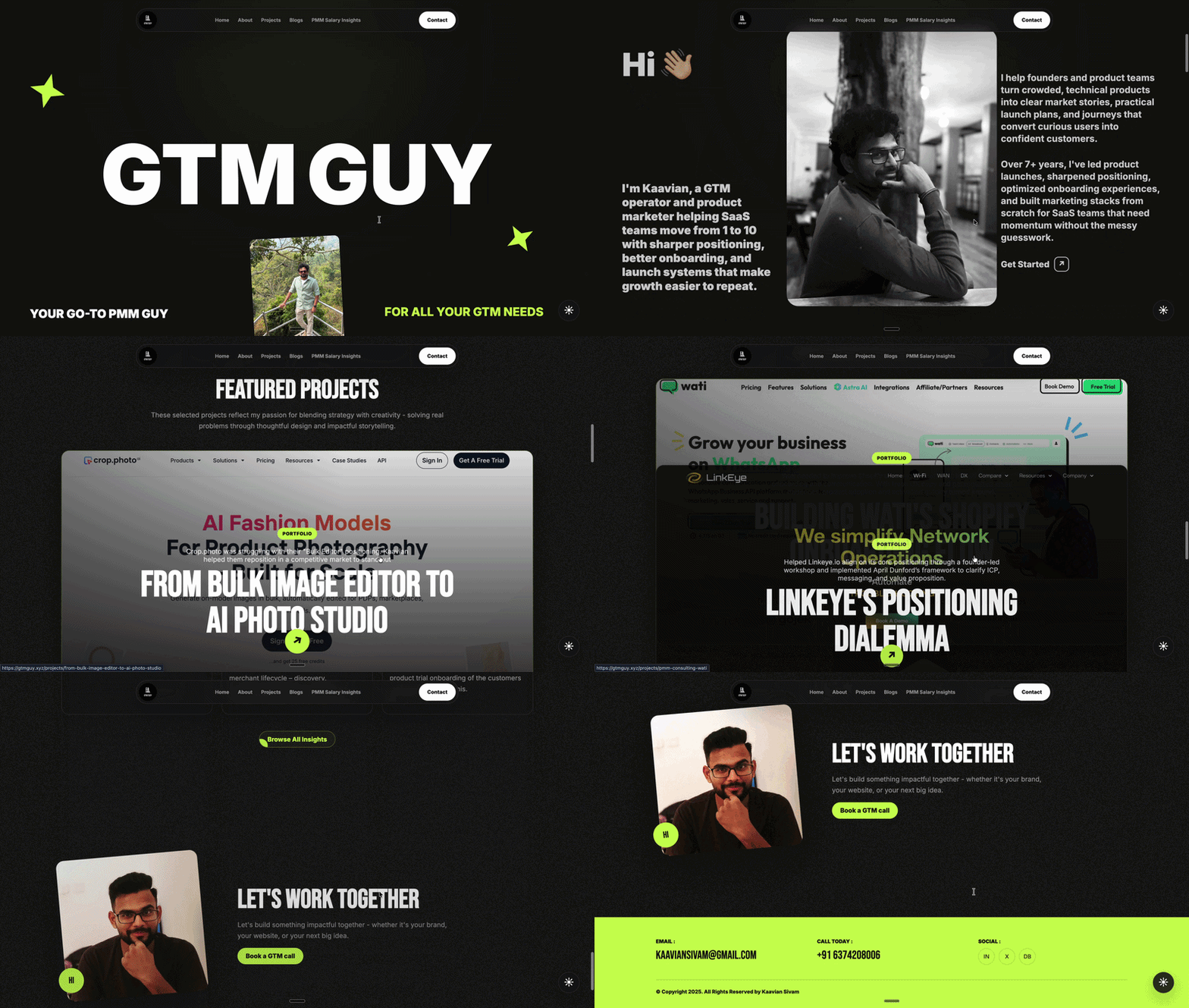
But this is not the end of it...
Building a custom CMS for my site
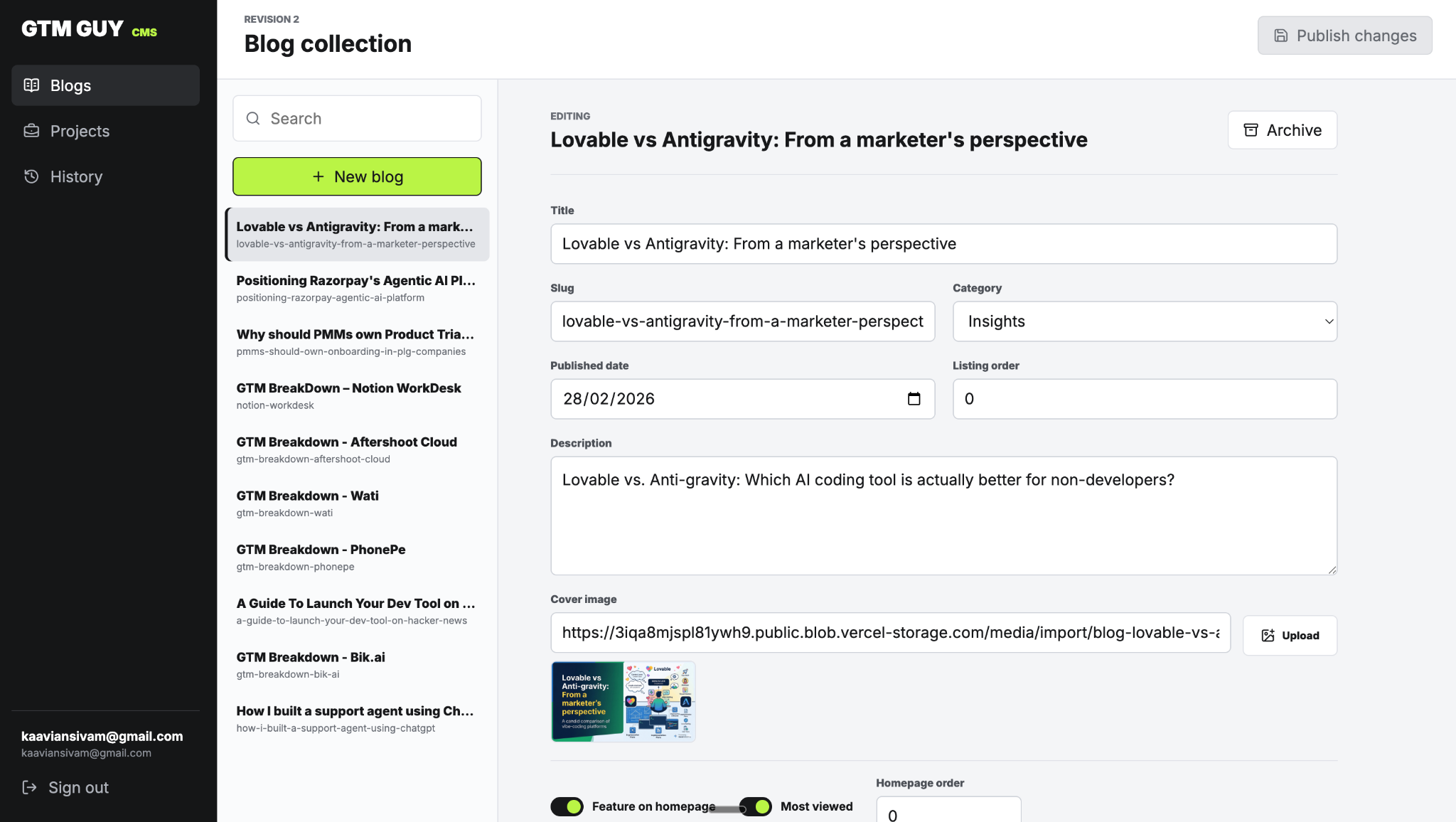
My goal was to find a way to refresh my projects and blogs without having to touch the codebase or prompt Codex every time I want to publish something. So I set out to build my own CMS with a rich text editor and schema that follows the structure of my previous Framer site.
I definitely did not need multiple authors, complicated roles, or a relational database. It should only be accessible to me, have a revision history, and have a rich text editor to create elements like tables, highlights, quotes, callouts, etc. I designed and built the editing interface with the help of Codex, while using Vercel for authentication, storage, media delivery, and deployment.
Rather than cluttering up a database with individual rows for every blog post or project, I had the CMS output a single, verified JSON snapshot of the entire portfolio. Because my use case doesn't really need a database.
I’m the only editor, and I’ve got roughly a handful of projects and articles, not 50,000 records. There are no users commenting, authors collaborating, customers creating accounts, complicated queries, etc. Putting Postgres would simply bloat the infrastructure without providing any tangible value.
This is how my CMS looks now:
What I learnt from vibecoding my site.
Vibe coding platforms aren't great at intricate designs, or I don’t know how to prompt them to get the desired output. When we ask the LLMs to scan the website and replicate it, the transitions usually get skipped mainly because it sits in the CSS or JS, and a lot of the time LLMs skip that.
Just like how we work with a human, we have to be absolutely clear about things we need. Either we need to be super good at explaining what exactly we want with very clear visual directions, or provide a lot of references. It simply cannot scan or extract your vision from your vague requirements. Simply saying “Rebuild this website” will only give you 30%, but a very detailed prompt for each section can bring that efficiency up to 80%.
And finally, I realized one more thing. The length of the chat is directly proportional to the quality of the outcomes. The longer the chats go on, the more hallucinations increase, and memory gets super polluted. My recommendation is not to dump all the requirements on the same day. Splitting the development over a couple of days will get you better results.
That’s all, folks! Thanks for patiently reading my journal till the end, and I’ll see you in my next post.